Visual process design
Map the steps, decisions and handovers in a business process before it goes live. A shared process view helps business owners and implementation teams agree how a request should move through the organisation.

DIGITAL SOLUTIONS / XFlow

Indicative product metrics. Targets and scope are confirmed per project.
XFlow brings business forms, approval rules and follow-up actions into a consistent workflow. Teams can replace disconnected email chains with a process that makes ownership, progress and the next action easier to understand. Start with one recurring request, then extend the design across departments as your operating needs develop.
CORE CAPABILITIES
Shape the product around your business process, information and responsibilities.
Map the steps, decisions and handovers in a business process before it goes live. A shared process view helps business owners and implementation teams agree how a request should move through the organisation.
Collect the information an approver needs in a consistent format. Organise fields around the request type so purchasing, expenses and service requests can each follow an appropriate information structure.
Route requests according to the responsibilities and rules defined for your business. Design sequential reviews, departmental handovers and exception routes so the process reflects how decisions are actually made.
Separate submission, review and administration responsibilities. Plan access around departments and job roles so users can work with the information relevant to their part of a process.
Connect agreed workflow steps with the business systems that hold the underlying records. Integration planning covers the available APIs, field mapping, authentication and how failed actions should be handled.
Keep a useful record of request activity and decisions for operational review. Use the process history to identify repeated rework, unclear ownership and opportunities to simplify the next version of the workflow.
BUSINESS WORKFLOW
A purchasing request shows how information, responsibility and business rules move through one connected process.
A colleague enters the purchase need, supporting information and responsible department.
Required fields and agreed business rules help prepare a complete request.
The request moves to the reviewers defined by the approval policy.
Approval, comments and any requested changes remain with the process record.
An approved request moves to the agreed procurement or system handover.
If a reviewer needs more information, return the request to the submitter with the comments before approval continues.
Procurement receives the approved information, responsible owner and decision history.
TYPICAL APPLICATIONS
Start with a practical use case and extend the scope as your team develops its working approach.
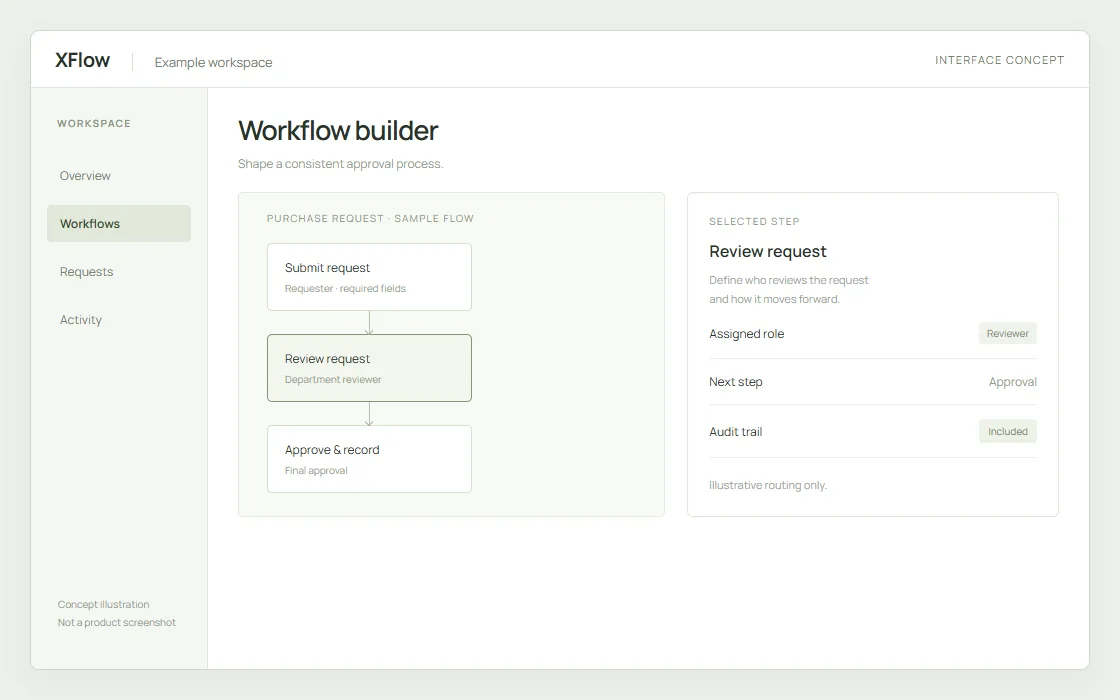
A shared view can bring requests, owners and review stages together. Use the concept to discuss the information your approval team needs at each handover.
Interface concept with sample data, not an actual product screenshot.
Bring purchase requests, budget review and procurement handovers into one defined route. Make the supporting information visible before a buying decision is made.
Standardise expense submissions and supporting documents. Align the approval path with the organisation’s responsibility and control requirements.
Coordinate onboarding, employee requests and cross-department approvals. Give each team a clear view of its required action and handover.
Organise IT, facilities and administrative requests around a consistent intake process. Keep ownership clear as a request passes between service teams.
DELIVERY & INTEGRATION
Language, hosting, access, interfaces and acceptance criteria are part of implementation planning.
Select a pilot process, map the existing decisions and configure forms, roles and routing. Validate normal and exception paths with the people who will use them.
Define the system of record for each field and connect the agreed ERP, finance or service interfaces. Include authentication, failure handling and acceptance checks in the integration scope.
Provide administrator and user training, documented handover and an agreed change process. Plan support around the workflows and operating hours included in your project.
YOUR NEXT STEP
Share your project location, operating requirements and timeline. We will work with you on a clear scope and next steps.
Discuss your requirements