Project organisation
Arrange a project around its objectives, workstreams and responsible people. Give the team a shared structure for discussing progress and deciding what needs attention next.

DIGITAL SOLUTIONS / XWorkspace

Indicative product metrics. Targets and scope are confirmed per project.
XWorkspace brings tasks, projects, schedules and shared knowledge into a common working environment. It helps teams turn a plan into visible responsibilities and keep the context of a project close to its day-to-day work. Use it for a focused team first or shape a workspace around a wider delivery programme.
CORE CAPABILITIES
Shape the product around your business process, information and responsibilities.
Arrange a project around its objectives, workstreams and responsible people. Give the team a shared structure for discussing progress and deciding what needs attention next.
Make individual actions, due dates and handovers easier to follow. Clear responsibility helps a team distinguish work that is ready to move from work that depends on an earlier decision.
Use task boards, calendars and planning views to look at work from different perspectives. Choose the view that supports the team’s planning rhythm instead of forcing every project into the same working pattern.
Keep useful project notes and operating guidance close to the work they support. A consistent knowledge structure reduces repeated questions and makes handover to new colleagues easier.
Connect updates and notifications with the relevant task or project context. Teams can follow the work that matters to them while retaining a clearer record of the discussion behind a decision.
Design workspaces around departments, delivery teams or shared programmes. Agree permissions and information ownership so collaboration remains useful as more people and projects are added.
BUSINESS WORKFLOW
A cross-team project connects its objectives with owned tasks, working updates and the knowledge needed for delivery.
Agree the project objective, deliverables and the next meaningful milestone.
Break the plan into tasks with responsible people, dates and dependencies.
Keep progress, working notes and team updates close to the relevant task.
Discuss blocked work and decisions with the colleagues responsible for the next step.
Bring completed work, supporting documents and follow-up actions together.
Make the dependency visible, assign the decision to an owner and update the plan before the next team takes over.
The next team receives the deliverable together with its context, decisions and remaining actions.
TYPICAL APPLICATIONS
Start with a practical use case and extend the scope as your team develops its working approach.
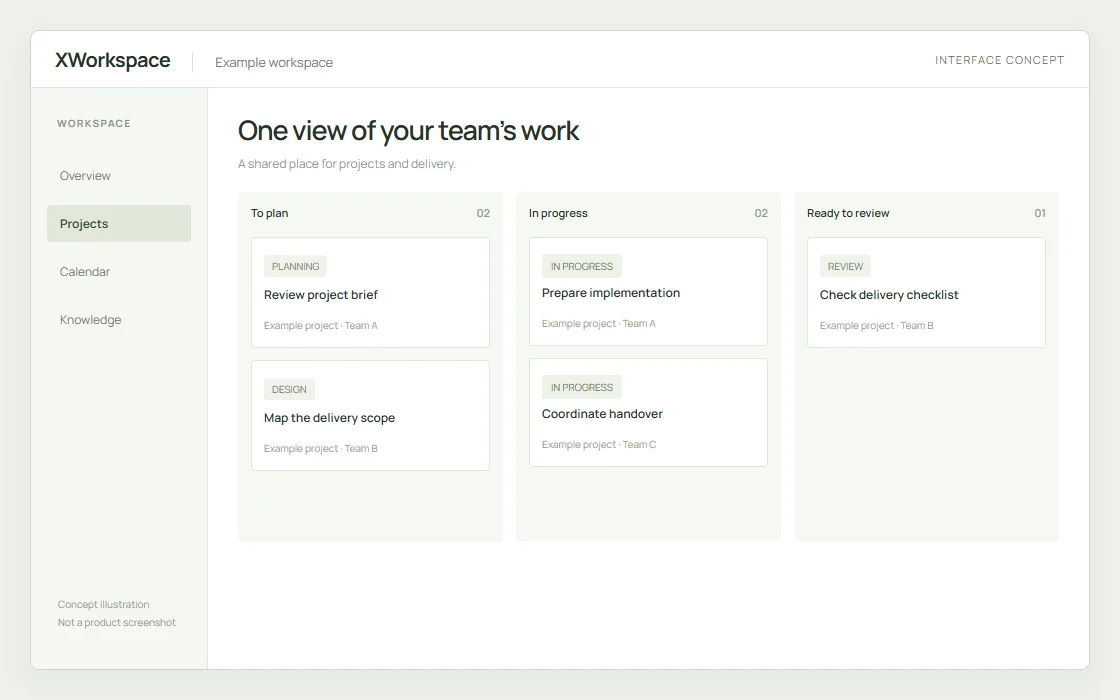
Bring tasks, project information and team responsibilities into the same conversation. Plan the views around the way your colleagues coordinate their daily work.
Interface concept with sample data, not an actual product screenshot.
Coordinate milestones, actions and shared project knowledge. Keep commercial, technical and delivery colleagues working from a common project context.
Turn recurring departmental objectives into owned work. Review progress in a consistent structure during weekly and monthly planning.
Manage internal initiatives that involve several teams. Keep handovers and supporting instructions visible as work moves across departments.
Build a practical workspace for guidance, onboarding and team documentation. Connect that knowledge with the projects and tasks where it is used.
DELIVERY & INTEGRATION
Language, hosting, access, interfaces and acceptance criteria are part of implementation planning.
Agree a workspace structure, pilot team and working rhythm. Configure project templates, task conventions and access responsibilities around real delivery examples.
Review how the workspace should connect with calendars, enterprise identity and existing business records. Define the interfaces and ownership of information before implementation.
Support team onboarding, workspace administration and ongoing adoption. Establish a practical process for template changes, support requests and improvements.
YOUR NEXT STEP
Share your project location, operating requirements and timeline. We will work with you on a clear scope and next steps.
Discuss your requirements